SVXReflector connector
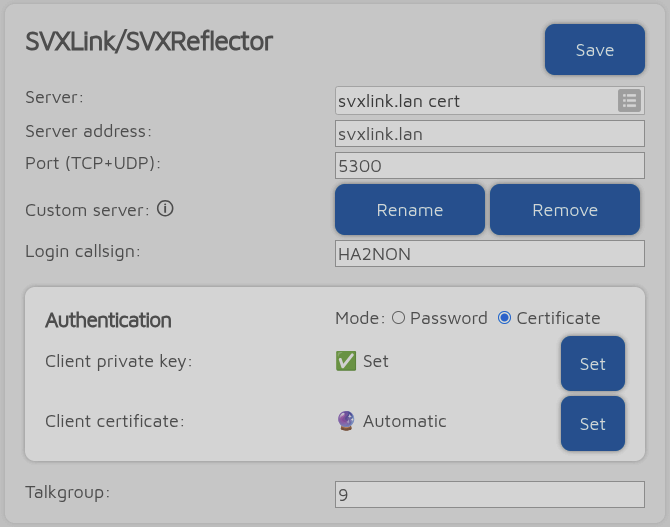
You can use this connector to connect to servers which support the SVXReflector protocol. As there is no centralized catalog of SVXReflector servers, you need to obtain the server address and port to connect.
Note
SVXReflector servers do not support audio monitoring of multiple talkgroups (only call information monitoring); therefore, linking to and listening to multiple talkgroups is not possible.
Certificate authentication
If a server does not accept password authentication, set the authentication mode to Certificate.
A client key is required. If you don’t have one yet, you can generate it in the web interface by clicking the Set button in the Client private key row, and then clicking Generate in the dialog that appears.
If the server does not yet have a signed certificate for the client key, the M1KE will automatically request one. The server administrator should be notified of this automatically by the server.
If the signed certificate is already present on the server, the M1KE will attempt to download it automatically and use it for authentication.
Optionally, a client certificate can be provided manually; in this case, the M1KE will not request or download one from the server. The certificate can be a PEM-formatted chain, not just a single certificate.