About the connectors page
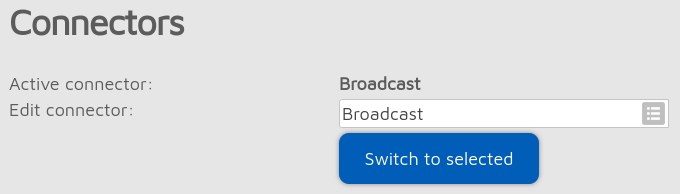
You can activate a connector by selecting it from the Edit connector list and clicking on the Switch to selected button. You can edit a connector’s settings by selecting it from the Edit connector list. Don’t forget to click on the Save button after changing a connector’s settings.
Saving and recalling custom servers
Some connectors have Add server and Remove buttons. These can be used to add and remove custom servers in the server list. To remove a custom server from the list, select it before clicking on the Remove button. The Add server button changes to Rename when a custom server is selected. Clicking on the Rename button will let you change the name of the selected custom server entry.
Important
Saved custom servers are stored in the global storage which are common for all configuration profiles.
Note
Voice of incoming calls may stutter while the import operation is ongoing.
Keepalive interval, RX timeout
Some connectors have a Keepalive interval setting. This means the server requires the M1KE to periodically send keepalive messages to the server. The RX timeout setting specifies the time after the last received valid network packet needed for the M1KE to consider the connection is dead and it should reconnect.
Note
If the M1KE frequently disconnects from the server, try increasing the RX timeout.
Important
If a connector has both the Keepalive interval and RX timeout settings, then make sure the RX timeout is set to a greater value than the Keepalive interval.
As a general rule, try to use a server nearest to your physical location to avoid packet loss and high latency.
General settings
Note
This section is only shown if Advanced mode is enabled.
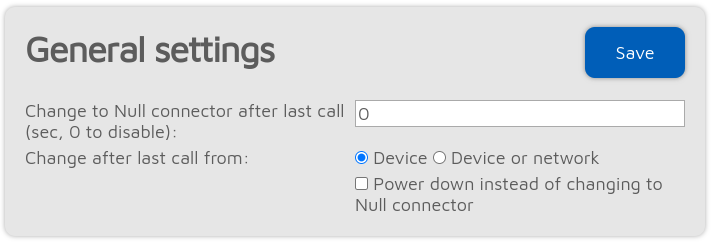
By setting the Change to Null connector after last call other than 0 will change the active connector to the Null connector after the last received call (minimum timeout value is 5 minutes). For example, if you set a timeout of 600 seconds, the device will change to the Null connector if there is no call received in the last 10 minutes.
If Power down instead of changing to Null connector is checked, then the device turns off when the timeout is reached. This can be used as an auto sleep feature.
Custom servers export/import
Note
This section is only shown if Advanced mode is enabled.
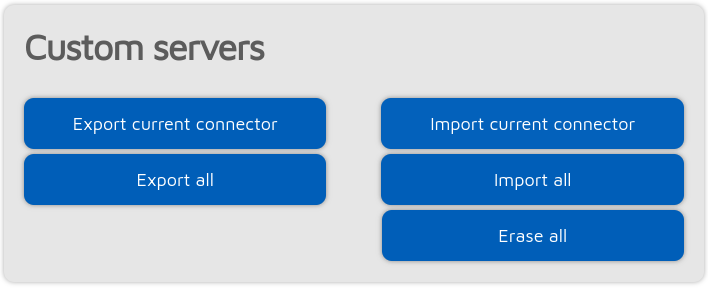
You can export/import custom servers of the selected connector or all connectors to/from a file here.
Important
Saved custom servers are stored in the global storage which are common for all configuration profiles.
Note
Voice of incoming calls may stutter while the import operation is ongoing.